Table of Contents
Best Data Loggers for Performance Tracking: Top Devices for Accurate and Reliable Monitoring
When it comes to tracking performance, picking the right data logger really makes a difference. You want accurate, useful info—otherwise, what’s the point? Whether you’re measuring speed, temperature, or something else entirely, a reliable device lets you make smarter calls based on actual data.
The best data loggers blend accuracy, user-friendliness, and exactly the features you need for your own goals. From professional motorsports to industrial monitoring, the right data logger transforms raw measurements into actionable insights that drive real improvements.
Why Data Loggers Matter for Performance Optimization
In today’s data-driven world, gut feelings and guesswork simply don’t cut it anymore. Whether you’re shaving seconds off lap times, optimizing manufacturing processes, or monitoring environmental conditions, data loggers provide the objective truth you need to make informed decisions.
Consider the difference between thinking your car feels faster after modifications versus having concrete data showing a 0.3-second improvement per lap. Or imagine troubleshooting equipment failures—would you rather guess what went wrong, or have timestamped data showing exactly when temperatures spiked? Data loggers eliminate the guesswork and provide the evidence you need.
The real power of data logging comes from consistency and accuracy. When you’re tracking performance over time, even small measurement errors compound into misleading conclusions. Quality data loggers ensure that your baseline measurements from six months ago are directly comparable to today’s readings, making trend analysis actually meaningful.
The Cost of Not Using Data Loggers
Without proper data logging, you’re essentially flying blind. Here’s what you risk:
- Missing critical performance degradation before catastrophic failure
- Making expensive modifications that don’t actually improve performance
- Inability to prove compliance with regulations or standards
- Lost opportunities for optimization and efficiency gains
- Wasted time troubleshooting problems without clear evidence
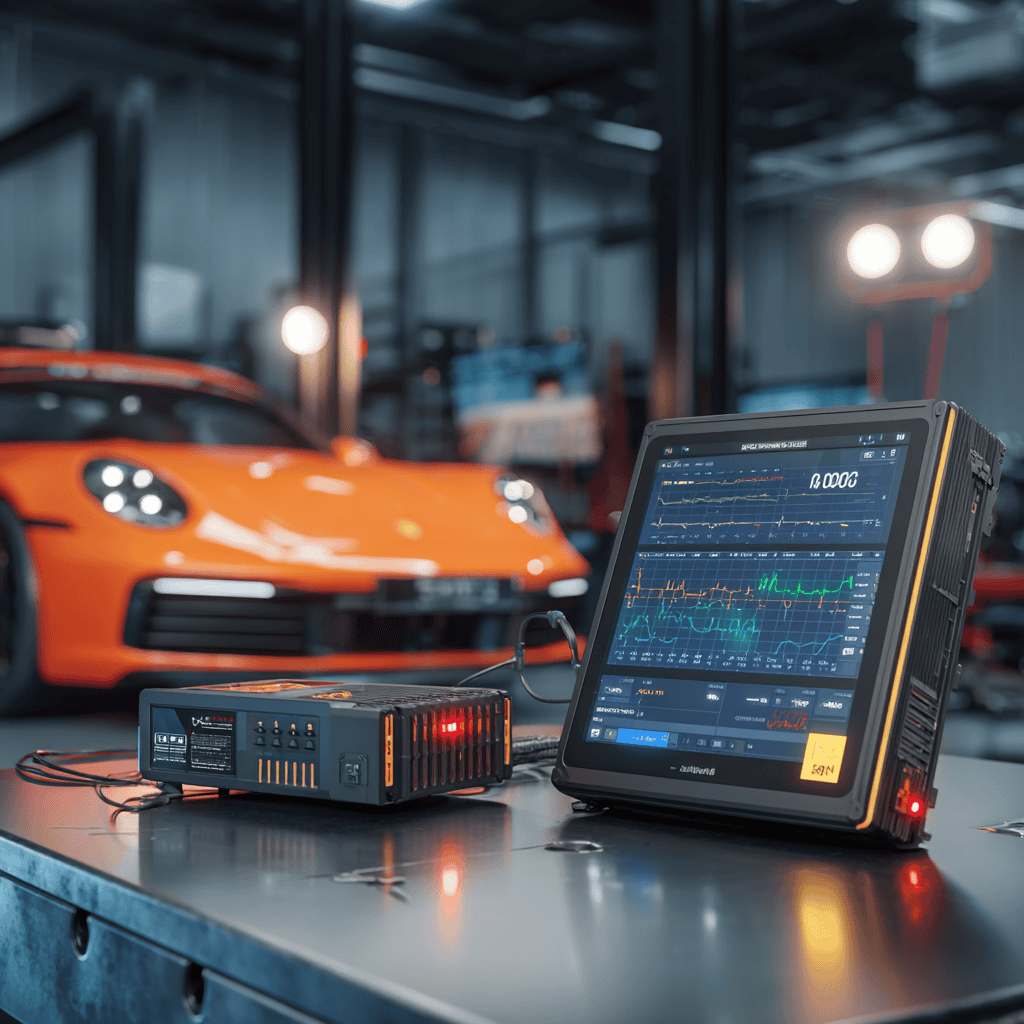
Understanding Data Loggers for Performance Tracking
If you want to track performance well, you need devices that grab accurate data over time. These should record whatever you’re measuring automatically and keep it handy for later. Knowing what a data logger does, how it works, and what to look for makes it much easier to choose.
What Is a Data Logger?
A data logger is a compact electronic device that records environmental or physical data autonomously. It uses sensors to check things like temperature, humidity, pressure, acceleration, or movement. The info gets stored inside the device so you can look at it later.
Modern data loggers can measure:
- Temperature (from -200°C to over 1700°C depending on the model)
- Pressure and vacuum levels
- Acceleration and G-forces
- GPS position and speed
- Voltage and current
- Light intensity
- pH levels
- Flow rates
- Vibration frequencies
- Rotational speed (RPM)
Some loggers track just one thing—like air quality. Others collect a bunch of different types of data at once through multiple input channels. They usually work independently, so you don’t have to keep them plugged in or connected all the time. That makes them pretty handy for long-term monitoring.
How Data Loggers Track Performance
Data loggers gather performance data by sampling at set intervals. You can set them to record every millisecond for high-speed events or every hour for long-term environmental monitoring. The key is matching your sampling rate to your application needs.
All the data is saved digitally, typically in formats like CSV or proprietary files that work with analysis software. Modern loggers often include:
- Real-time clock synchronization for accurate timestamps
- Trigger-based recording to capture specific events
- Pre and post-trigger recording to see what happened before and after an event
- Calculated channels that derive values from raw sensor inputs
- Alarm functions that alert you to out-of-range conditions
When you track variables precisely, you get results you can actually trust. This precision enables you to spot patterns or problems you might otherwise miss, like gradual performance degradation or intermittent faults that only occur under specific conditions.
Core Features to Compare
When picking a data logger, start with the sensor type you need—temperature, pressure, whatever fits your project. But that’s just the beginning. Critical features to evaluate include:
Memory Capacity:
- Entry-level: 8,000-32,000 readings
- Mid-range: 250,000-1 million readings
- Professional: 2 million+ readings or continuous SD card recording
Battery Life:
- Short-term loggers: 1-7 days
- Standard loggers: 1-12 months
- Long-term loggers: 1-5 years with user-replaceable batteries
Connectivity Options:
- USB for direct download
- Bluetooth for wireless short-range transfer
- Wi-Fi for network integration
- Cellular for remote monitoring
- CAN bus for vehicle integration
Sampling Rate:
- Slow: 1 sample per hour or day
- Medium: 1 sample per second to minute
- Fast: 10-100 Hz for dynamic events
- Ultra-fast: 1000+ Hz for vibration and impact
Environmental Protection:
- IP ratings from IP54 (dust and splash resistant) to IP68 (submersible)
- Operating temperature ranges
- Shock and vibration resistance
- Chemical compatibility
Types of Data Loggers by Application
Understanding the different categories of data loggers helps you narrow down your choices based on your specific needs.
Motorsports and Automotive Data Loggers
These specialized loggers focus on vehicle dynamics and driver performance. They typically combine GPS tracking with accelerometers and gyroscopes to provide comprehensive vehicle telemetry.
Key measurements include:
- Lap times and sector splits
- Speed and acceleration profiles
- Brake and throttle position
- Steering angle
- G-forces in all directions
- Engine parameters via OBD-II or CAN bus
- Tire temperatures and pressures
Professional systems can log 100+ channels at 1000Hz or higher, while entry-level units might track 10-20 channels at 10-25Hz. The difference in data quality directly impacts your ability to find those last tenths of a second.
Industrial and Manufacturing Loggers
Industrial environments demand rugged loggers that can withstand harsh conditions while maintaining accuracy. These devices monitor:
- Machine vibration and bearing health
- Process temperatures and pressures
- Production line speeds
- Energy consumption
- Air quality and emissions
- Hydraulic system performance
Compliance and quality control drive many industrial logging applications. Loggers must often meet specific standards like ISO 9001 or FDA regulations, with features like:
- Tamper-proof data storage
- Digital signatures for data integrity
- Audit trails
- Automated reporting capabilities
Environmental and Scientific Loggers
Research and environmental monitoring require long-term stability and minimal drift. These loggers excel at:
- Weather station data collection
- Water quality monitoring
- Soil moisture and temperature
- Wildlife habitat conditions
- Building performance and HVAC efficiency
- Cold chain monitoring for pharmaceuticals
Battery life becomes critical here, with some loggers running for years on a single battery while maintaining precise measurements. Solar panels and energy harvesting extend deployment times even further.
Sports and Fitness Performance Loggers
Athletes and coaches use specialized loggers to optimize training and prevent injuries. These devices track:
- Heart rate variability
- Power output (cycling, running)
- Movement patterns and biomechanics
- Training load and recovery metrics
- Environmental conditions during training
- Sleep quality and recovery
Integration with training software is crucial, allowing coaches to analyze trends across entire seasons and adjust programs accordingly.
Key Factors When Choosing the Best Data Logger
Choosing a data logger isn’t just about picking the fanciest one. You want something that fits what you’re doing, works with your sensors, and doesn’t make your life harder.
Accuracy and Reliability
Accuracy is huge. You need a logger that gives you precise data, not something that’s off by a mile. Key accuracy specifications to examine:
- Resolution: The smallest change the logger can detect (e.g., 0.1°C)
- Accuracy: How close measurements are to true values (e.g., ±0.5°C)
- Repeatability: Consistency when measuring the same condition multiple times
- Drift: How much accuracy degrades over time
- Calibration: Whether the device is traceable to national standards
Check the specs—look for measurement accuracy in percentage or units. Devices with quality control certifications like NIST traceability or ISO/IEC 17025 calibration have usually been tested for stability.
It’s also smart to pick a logger that has error-checking or alarms. They’ll let you know if something goes wrong. Features like:
- Sensor failure detection
- Out-of-range alerts
- Memory overflow warnings
- Low battery indicators
- Communication error logs
Power and memory management matter too. If your logger keeps running out of juice or space, you’ll lose data. Not ideal.
Integration With Sensors
Your logger has to work with the sensors you need, whether that’s temperature, humidity, pressure, or voltage. Critical compatibility factors include:
Input Types:
- Analog (0-5V, 0-10V, 4-20mA)
- Digital (I2C, SPI, OneWire)
- Frequency/pulse counting
- Thermocouple (Type K, J, T, etc.)
- RTD (PT100, PT1000)
- Strain gauge/bridge
Channel Configuration:
- Single-ended vs. differential inputs
- Isolated vs. non-isolated channels
- Configurable gain and offset
- Sensor excitation voltage
- Input impedance requirements
Make sure it supports the right kind of input. Some loggers have enough channels for multiple sensors, which is handy if you’re tracking lots of stuff at once. Consider future expansion needs—buying a logger with extra channels costs less than replacing it later.
Wireless sensor connections can make setup easier, especially in hard-to-reach locations or rotating equipment. Compatibility really affects data quality, so double-check if your sensors are analog or digital and that the logger matches.
User Interface and Ease of Use
No one wants to waste time on a complicated device. The best loggers balance powerful features with intuitive operation. Look for:
Display Options:
- LCD screens showing real-time values
- LED status indicators
- Smartphone app integration
- Web-based dashboards
- PC software interfaces
Configuration Methods:
- Push-button programming
- Software-based setup
- Mobile app configuration
- Web interface control
- Configuration file import/export
Good software helps too. You should be able to set up and download data without a tech degree. Key software features:
- Automatic device detection
- Graphical data visualization
- Export to common formats (CSV, Excel)
- Automated report generation
- Multi-logger management
It helps if the logger can do real-time monitoring with alerts. That way, you can act fast if something’s off. Alert options should include:
- Email notifications
- SMS text messages
- Visual/audible alarms
- Integration with existing monitoring systems
Decent manuals and customer support go a long way when you get stuck.
Data Storage and Management
How your logger stores and manages data directly impacts its usefulness. Consider these storage factors:
Memory Types:
- Internal flash memory (reliable but limited)
- Removable SD cards (expandable but can fail)
- Cloud storage (accessible anywhere but needs connectivity)
- Combination approaches for redundancy
Data Organization:
- File naming conventions
- Automatic file splitting
- Circular buffer options
- Time-based or event-based storage
- Compression capabilities
Data Security:
- Encryption options
- Password protection
- Audit trails
- Backup capabilities
- GDPR compliance features
Budget Considerations
Data logger prices range from $50 hobbyist units to $50,000+ professional systems. Understanding the cost-benefit equation helps you invest wisely:
Entry Level ($50-500):
- Basic single-channel logging
- Limited accuracy and features
- Suitable for hobbyists and simple monitoring
- Examples: Elitech RC-5, HOBO Pendant
Mid-Range ($500-5,000):
- Multi-channel capabilities
- Good accuracy and reliability
- Professional software included
- Examples: Onset HOBO, Omega OM-CP series
Professional ($5,000-20,000):
- High channel count and sampling rates
- Excellent accuracy with calibration certificates
- Advanced analysis software
- Examples: AIM MXL2, VBOX 3i
Enterprise ($20,000+):
- Unlimited channels and ultra-high speeds
- Research-grade accuracy
- Custom configurations
- Examples: Dewesoft SIRIUS, HBM QuantumX
Top Data Loggers for Performance Tracking
When you’re picking a data logger for performance, accuracy and ease of use are at the top of the list. The best devices also let you dig into detailed driving data, if that’s your thing. Here are some options, depending on what you need—whether it’s pro motorsports or just weekend track days.
Premium Motorsports Data Loggers
AIM Solo 2 DL
AIM Solo 2 DL is made for drivers who want reliable GPS lap timing without a bunch of hassle. It’s the go-to choice for track day enthusiasts who need professional-grade data without the complexity of full racing systems.
Key Features:
- 10Hz GPS with GLONASS support for precise positioning
- Configurable predictive lap timing
- Track mapping with automatic recognition
- ECU/CAN connectivity for engine data
- 400+ pre-loaded track maps worldwide
- Backlit display visible in direct sunlight
Price range: $600-800
The Solo 2 DL saves your session data so you can review and tweak your performance. You can sync it with Race Studio 3 software for deeper analysis or to share data with others. If you want straightforward lap timing and solid GPS, AIM Solo is a great pick.
VBOX Sport
VBOX data loggers are known for being super precise. They use GPS and inertial sensors to record speed, position, acceleration, and more—all at high data rates. Professional racing teams worldwide trust VBOX for vehicle development and driver training.
Key Features:
- 20Hz GPS update rate
- 0.1 km/h speed accuracy
- Built-in 3-axis accelerometer
- Predictive lap timing with split times
- HD video integration with data overlay
- Brake and throttle trigger inputs
Price range: $1,500-3,000
Many pros trust VBOX for the detailed info it provides. The software is powerful and helps you really analyze vehicle dynamics. If you need in-depth data and plan to dig into the details, VBOX is hard to beat.
RaceCapture/Pro MK3
This open-source platform offers incredible flexibility for custom installations and advanced users who want complete control over their data logging setup.
Key Features:
- 100Hz GPS capability
- 8 analog inputs, 3 digital/pulse inputs
- Direct CAN bus connectivity
- Real-time telemetry via cellular
- Lua scripting for custom functions
- Integration with popular dash displays
Price range: $500-900
The RaceCapture ecosystem includes mobile apps, cloud analysis, and an active community developing new features. It’s perfect for builders and tuners who want to create custom solutions.
Budget-Friendly Options
Harry’s Lap Timer
Harry’s Lap Timer runs right on your smartphone, using its GPS to log track performance. It’s super accessible and can connect to external GPS devices for better accuracy.
Key Features:
- Uses phone’s built-in sensors
- External GPS support (10-20Hz)
- Video recording with data overlay
- Over 1,300 tracks in database
- Social sharing features
- Multi-vehicle profiles
Price: $15-30 (app) + optional external GPS ($150-400)
The app gives you real-time lap timing, sector splits, and even video overlays. It’s affordable and easy to use, making it perfect for casual track users or beginners. It supports tons of tracks and lets you review sessions on your phone or computer.
Garmin Catalyst
Designed specifically for track day enthusiasts, the Catalyst combines data logging with real-time coaching to help drivers improve their skills.
Key Features:
- 10Hz GPS with track positioning
- Real-time audio coaching
- Optimal racing line display
- Consistency analysis
- Session-to-session comparison
- True Track Positioning technology
Price range: $1,000-1,200
The Catalyst stands out for its coaching features, making it ideal for drivers looking to improve their lap times without hiring an instructor.
Industrial and Environmental Loggers
Onset HOBO MX2301A
The industry standard for environmental monitoring, HOBO loggers offer exceptional reliability and ease of use for long-term deployments.
Key Features:
- Temperature and humidity logging
- Bluetooth Low Energy connectivity
- 2+ year battery life
- IP67 weatherproof rating
- Free mobile app for configuration
- Cloud data management options
Price range: $150-400
These loggers excel in applications like building performance monitoring, agricultural research, and supply chain verification.
MSR Electronics MSR175
When you need laboratory-grade accuracy in the field, MSR loggers deliver professional results in a compact package.
Key Features:
- Shock recording up to ±100g
- Temperature range -20°C to +65°C
- 2 million measurement memory
- Quick-release USB connection
- Vibration analysis capabilities
- Swiss precision manufacturing
Price range: $800-1,500
Perfect for transportation monitoring, product testing, and quality assurance applications where data integrity is critical.
Specialized Performance Loggers
enDAQ Sensors (formerly Slam Stick)
Combining vibration analysis with general data logging, enDAQ sensors are ideal for mechanical system monitoring and failure analysis.
Key Features:
- Triaxial accelerometer up to 500g
- Piezoelectric or MEMS technology
- 20kHz sampling rate capability
- Temperature and pressure sensors
- Rechargeable battery with 30+ day runtime
- FFT analysis software included
Price range: $2,000-5,000
These devices excel at capturing transient events and analyzing mechanical failures in automotive, aerospace, and industrial applications.
GoPro with RaceRender
Not a traditional data logger, but the combination of action cameras with data overlay software creates compelling performance analysis tools.
Key Features:
- 4K video recording
- GPS speed and position
- Accelerometer data
- Compatible with external sensors
- Professional video editing tools
- Social media integration
Price range: $300-500 (camera) + $40 (software)
This setup is perfect for creating engaging content while still getting useful performance data, especially popular among motorcyclists and autocross participants.
Software and Analysis Tools
The best hardware means nothing without good software to analyze your data. Understanding software capabilities should factor into your logger selection.
Professional Analysis Software
MoTeC i2
The gold standard for motorsports data analysis, i2 provides incredibly deep analysis capabilities for serious racers and engineers.
Features include:
- Unlimited channel analysis
- Advanced math functions
- Video synchronization
- Driver comparison tools
- Lap simulation
- Custom workbook creation
Price: Free (Standard) to $6,000+ (Pro)
Race Studio 3
AIM’s analysis software offers professional features in a user-friendly package. It includes:
- Automatic track recognition
- Google Earth integration
- Multi-driver comparison
- Virtual dashboard creation
- Report generation
- Online sharing platform
Price: Free with AIM products
Circuit Tools
VBOX’s software suite provides comprehensive vehicle dynamics analysis:
- Slip angle calculation
- Understeer/oversteer analysis
- Friction circle visualization
- Coast down testing
- Performance testing modes
- Custom test configurations
Price: Included with VBOX hardware
Open Source and Budget Options
MegaLogViewer
Free, powerful analysis for various logger formats:
- Supports 30+ file formats
- Unlimited channels
- Custom math channels
- Histogram analysis
- Scatter plots
- Log file merging
Price: Free (donations accepted)
TrackAddict
Affordable mobile-based analysis:
- Works with phone sensors
- External OBD-II support
- Lap time comparison
- Video overlay creation
- Social features
- Cloud backup
Price: $9-20
Maximizing Results With Performance Data
To really get value from your data, focus on how you measure speed and what you do with that info. It’s about understanding the details and using them to improve.
Speed Analysis Techniques
Measuring speed accurately is a big deal for performance tracking. Data loggers give you real-time speed data, which is way more useful than just guessing. Advanced techniques for speed analysis include:
Sampling Rate Optimization:
- Match sampling rate to the fastest changes you need to catch
- Higher rates for dynamic events (braking, acceleration)
- Lower rates for steady-state conditions
- Balance between data quality and storage requirements
Reference Point Selection:
- GPS speed vs. wheel speed comparison
- Ground speed vs. air speed (for aerodynamic testing)
- Multi-point speed measurement for slip analysis
- Speed delta calculations for acceleration mapping
Filtering and Smoothing:
- Remove noise while preserving real changes
- Kalman filtering for GPS/IMU fusion
- Moving averages for trend identification
- Frequency analysis for vibration-induced errors
Velocity Integration Methods:
- Combine GPS with accelerometer data
- Account for elevation changes
- Correct for satellite geometry
- Validate against known references
Advanced Performance Metrics
Beyond basic speed and lap times, modern data analysis reveals deeper insights:
Driver Performance Indicators:
- Consistency scores across laps
- Brake point variation analysis
- Throttle application smoothness
- Racing line optimization
- G-force utilization efficiency
- Sector time variance
Vehicle Dynamics Metrics:
- Weight transfer calculations
- Tire slip angles
- Downforce estimations
- Roll center migration
- Pitch and dive analysis
- Suspension travel utilization
Engine Performance Tracking:
- Power curve validation
- Fuel mixture analysis
- Temperature management
- Rev limiter hit frequency
- Gear shift timing optimization
- Torque delivery smoothness
Implementing Data for Continuous Improvement
Once you’ve gathered speed and performance data, it’s time to put it to work. Let the numbers guide your decisions and help you chase better quality and efficiency.
Structured Improvement Process:
- Baseline Establishment
- Document current performance levels
- Identify key performance indicators (KPIs)
- Set realistic improvement targets
- Create reference datasets
- Data Collection Protocol
- Standardize testing conditions
- Ensure consistent sensor placement
- Document environmental variables
- Maintain calibration schedules
- Analysis and Interpretation
- Compare against baselines
- Identify statistically significant changes
- Look for correlation between variables
- Validate findings with repeat tests
- Implementation and Validation
- Make one change at a time
- Document all modifications
- Retest under same conditions
- Quantify improvements
- Feedback Loop Creation
- Regular review cycles
- Trend analysis over time
- Predictive maintenance scheduling
- Performance degradation monitoring
Common Analysis Pitfalls to Avoid
Even with great data, poor analysis leads to wrong conclusions. Watch out for these traps:
Statistical Errors:
- Insufficient sample size
- Ignoring environmental variables
- Correlation vs. causation confusion
- Cherry-picking favorable data
- Overlooking measurement uncertainty
Technical Mistakes:
- Incorrect sensor calibration
- Misaligned time stamps
- Unit conversion errors
- Filtering out real signals
- Aliasing from low sample rates
Interpretation Issues:
- Overemphasizing small differences
- Ignoring systematic errors
- Missing interaction effects
- Focusing on wrong metrics
- Confirmation bias
Installation and Setup Best Practices
Proper installation makes the difference between useful data and expensive noise. Follow these guidelines for reliable results.
Mounting Considerations
Sensor Placement:
- Mount rigidly to avoid vibration-induced errors
- Position away from heat sources
- Ensure clear GPS antenna view
- Protect from water and debris
- Consider wire routing and strain relief
Vibration Isolation:
- Use appropriate damping materials
- Avoid resonant frequencies
- Secure all connections
- Balance isolation with response time
- Test across expected frequency range
Environmental Protection:
- Seal against moisture ingress
- Provide adequate ventilation
- Use protective enclosures
- Apply conformal coating if needed
- Consider temperature cycling effects
Calibration and Validation
Initial Setup:
- Zero sensors at known conditions
- Verify against reference standards
- Document calibration constants
- Test full measurement range
- Create calibration certificates
Ongoing Maintenance:
- Regular calibration checks
- Sensor drift monitoring
- Replace degraded sensors
- Update calibration records
- Maintain spare sensors
Power Management Strategies
Ensuring uninterrupted logging requires careful power planning:
Power Source Selection:
- Calculate total power requirements
- Add 50% safety margin
- Consider temperature effects on batteries
- Use regulated power supplies
- Implement backup power systems
Battery Optimization:
- Choose appropriate chemistry (lithium, alkaline, etc.)
- Monitor voltage levels
- Implement sleep modes
- Use external power when possible
- Plan replacement schedules
Future Trends in Data Logging Technology
The data logging industry continues evolving rapidly, with several trends shaping the future of performance monitoring.
Artificial Intelligence Integration
Machine learning transforms raw data into actionable insights:
- Automatic anomaly detection
- Predictive failure analysis
- Pattern recognition across datasets
- Optimization recommendations
- Natural language reporting
AI-powered loggers will soon provide real-time coaching, suggesting setup changes and identifying improvement opportunities without human analysis.
Cloud Connectivity and IoT
The Internet of Things revolution brings new capabilities:
- Real-time remote monitoring
- Automatic cloud backup
- Multi-site data aggregation
- Collaborative analysis tools
- Over-the-air updates
5G connectivity will enable streaming high-bandwidth sensor data directly to cloud analysis platforms, eliminating onboard storage limitations.
Sensor Technology Advances
Next-generation sensors expand measurement possibilities:
- MEMS technology miniaturization
- Improved accuracy and stability
- Lower power consumption
- Wireless sensor networks
- Self-calibrating systems
- Energy harvesting capabilities
Integration Standards
Industry standardization simplifies multi-vendor setups:
- Universal data formats
- Plug-and-play sensor compatibility
- Open-source analysis platforms
- Standardized APIs
- Cross-platform synchronization
Best Data Loggers for Performance Tracking: Making the Right Choice for Your Needs
Selecting the perfect data logger requires balancing your requirements against available options and budget. Here’s a structured approach to making the right decision:
Define Your Requirements
Start by answering these key questions:
- What specific parameters need monitoring?
- How accurate do measurements need to be?
- What’s your total budget including software?
- How much data analysis experience do you have?
- Will you need support and training?
- How often will you use the system?
Evaluate Total Cost of Ownership
Look beyond the initial purchase price:
- Software licensing fees
- Calibration costs
- Sensor replacement
- Training requirements
- Storage and backup
- Upgrade paths
Consider Growth Potential
Choose a system that can grow with your needs:
- Expandable channel count
- Software upgrade options
- Additional sensor compatibility
- Integration with other tools
- Resale value
Test Before Committing
Whenever possible, try before you buy:
- Rental programs
- Demo units
- User group meetings
- Trade show demonstrations
- Online reviews and forums
Additional Resources
For comprehensive data logger comparisons and reviews, check out Race Technology’s guide to data logging for motorsports applications. The National Institute of Standards and Technology (NIST) provides excellent resources on measurement standards and calibration procedures.
Conclusion
The world of data logging for performance tracking offers incredible opportunities to optimize and improve, whether you’re chasing lap records, ensuring industrial efficiency, or conducting scientific research. The key is matching the right technology to your specific needs while considering both current requirements and future growth.
Remember that the most expensive logger isn’t always the best choice—it’s about finding the sweet spot between capability, usability, and value. Start with clear objectives, understand the available options, and don’t hesitate to seek advice from experienced users in your field.
With the right data logger and a systematic approach to analysis, you’ll unlock insights that transform hunches into facts and gradually improve into breakthrough performance gains. The data doesn’t lie—it just needs the right tools to tell its story.